Subelle

Subtitles timed to the voice.

Subelle is a subtitle editor for Mac. The waveform shows where the characters speak: select a line with the mouse, press ↩, and the subtitle is created, timed to the millisecond.

Download Subelle

macOS 12 or later, on Apple silicon and Intel Macs

0:00 0:02 0:04 0:06 0:08 0:10 0:12 0:14 0:16 0:18 0:20 0:22 0:24 1 Select the line, 2 press ↩, 3 and it's timed. Sélectionnez la réplique, appuyez sur Entrée, c'est calé.
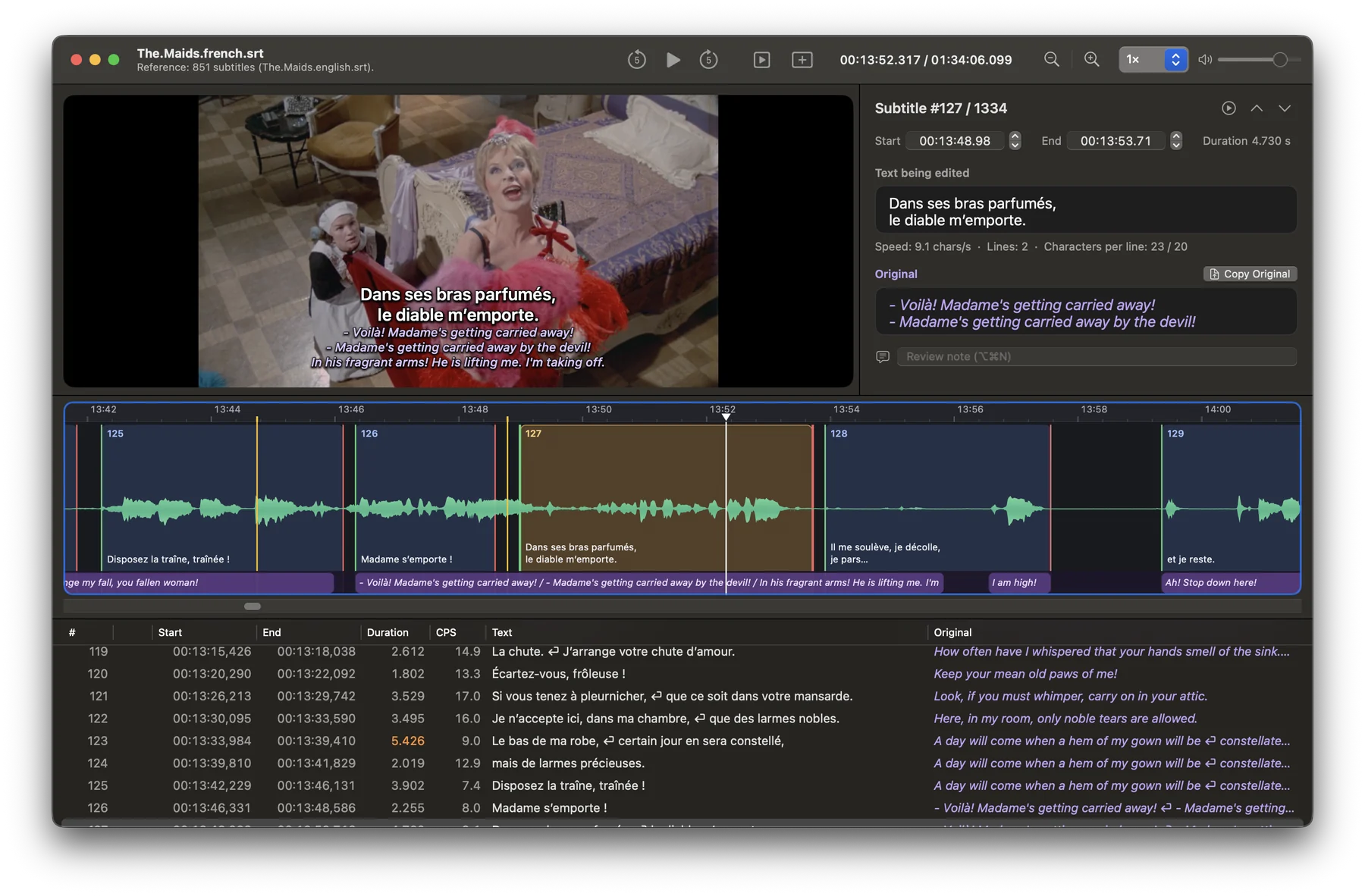
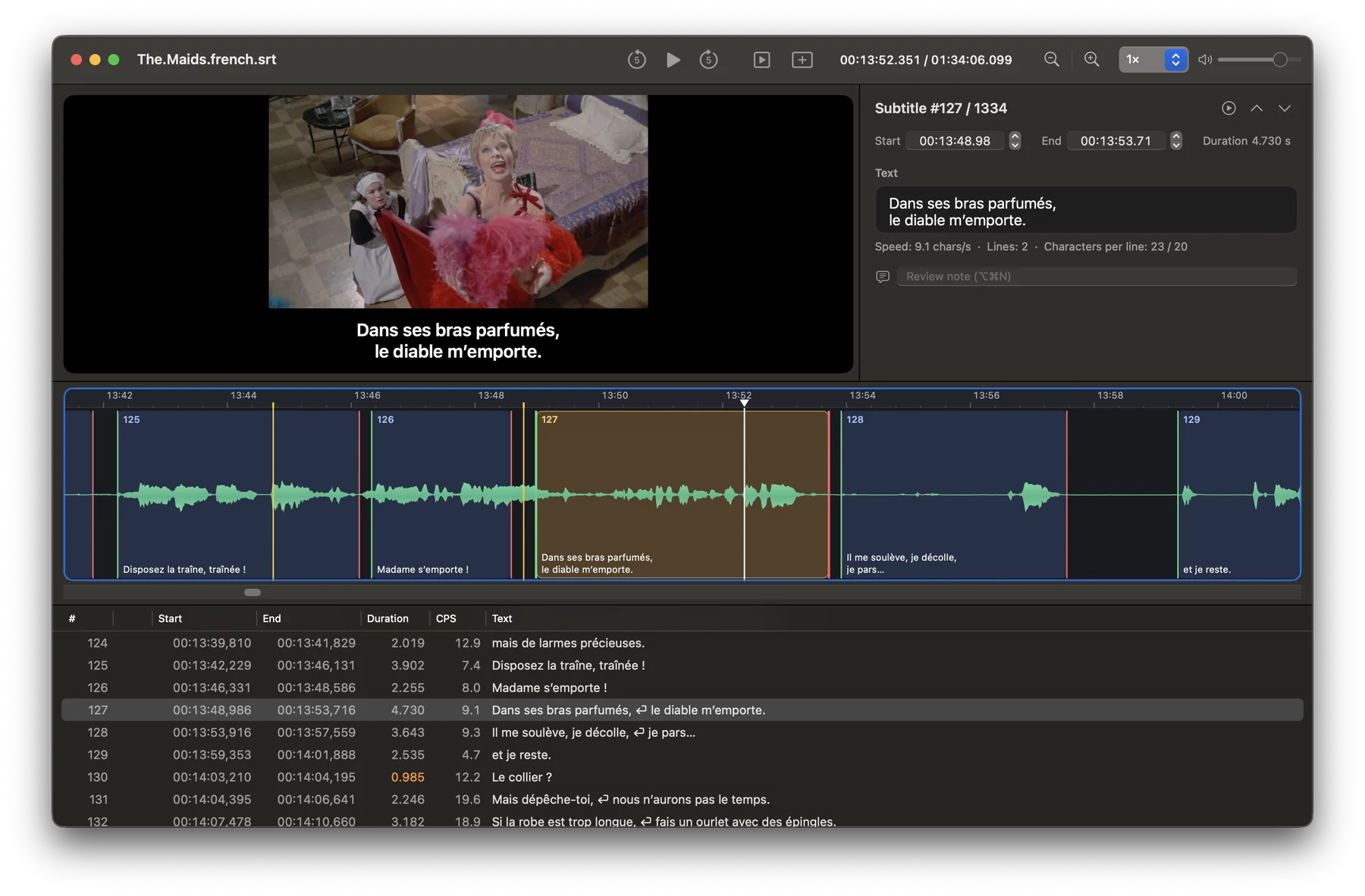
Subelle's window: the video with its subtitle, the inspector, the waveform and the subtitle table.
A selected subtitle: on the picture, highlighted in the waveform and the table, editable in the inspector.

Create or translate, on your Mac

Whether you start from nothing or from subtitles in another language, Subelle does the heavy lifting. Everything happens on your Mac, without the internet.

Create subtitles from a video alone

No subtitles yet? Subelle listens to the dialogue and turns it into subtitles that are already timed to the voice, using Apple's speech recognition.

  1. Open the video.
  2. Choose Tools → Create a First Draft…, then the spoken language.
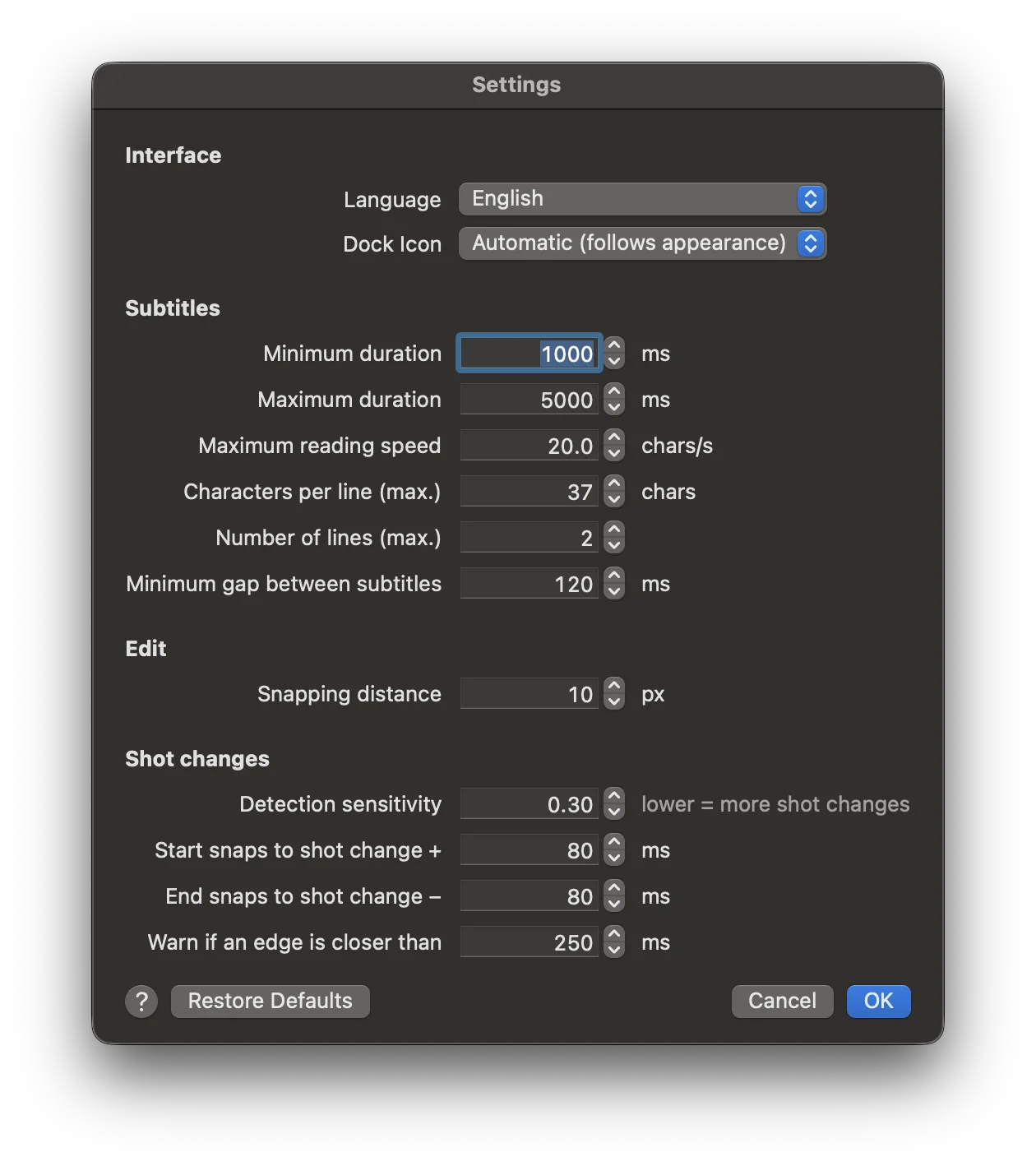
  3. Subelle splits the dialogue into subtitles following your settings: line length, reading speed, durations, shot changes.
  4. Review and adjust in the waveform.

With macOS 26 Tahoe or later.
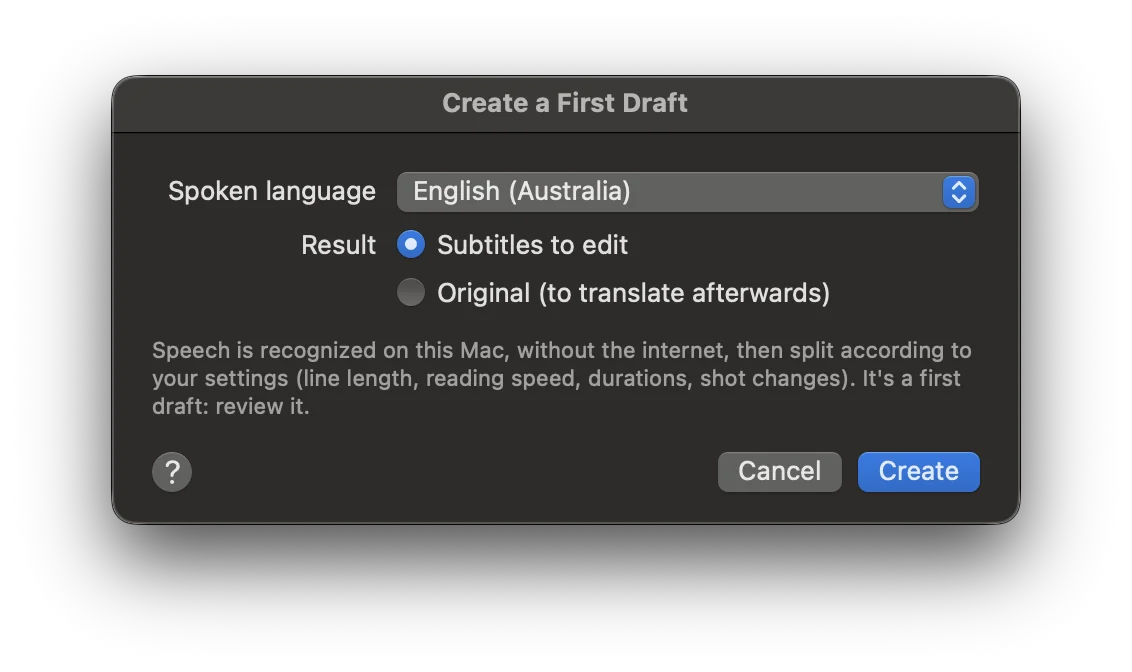
The Create a First Draft window, with the spoken language and the choice of result.

Translate subtitles from another language

Have the original subtitles? Subelle translates them into the language you choose, at the same timings, and keeps them in sight in purple while you polish the translation.

  1. Open the video, then the original subtitles as the original: a file, a track embedded in the video, or the subtitles Subelle created from the video.
  2. Choose Tools → Translate the Original…, then the target language.
  3. Each sentence is translated as a whole, even when it runs over several subtitles, then spread over the original's timings. Italics are kept.
  4. Polish it: the original stays visible in the inspector, the table, under the video and on the waveform.

With Apple's translation, on macOS 15 Sequoia or later.

A translation in progress: the French subtitle on the picture, the English original in purple in the inspector, on the waveform and in the table.

Everything a subtitler does, in one place

From the first line to the final review, without leaving the window.

Time

The waveform
Drag over the voice to select a line, listen with P, create the subtitle with ↩. Drag the edges with the mouse.
Shot changes
Detected automatically and shown in yellow. Subtitle edges snap to them so they don't spill into the next shot.
The video
Plays with the subtitles overlaid, slowed down or sped up.

Translate

The original alongside
Subtitles in the source language appear in the inspector, the table, under the video and on a purple track.
Copy Original
One button brings the original's text into the subtitle, so you can translate it in place.

Open

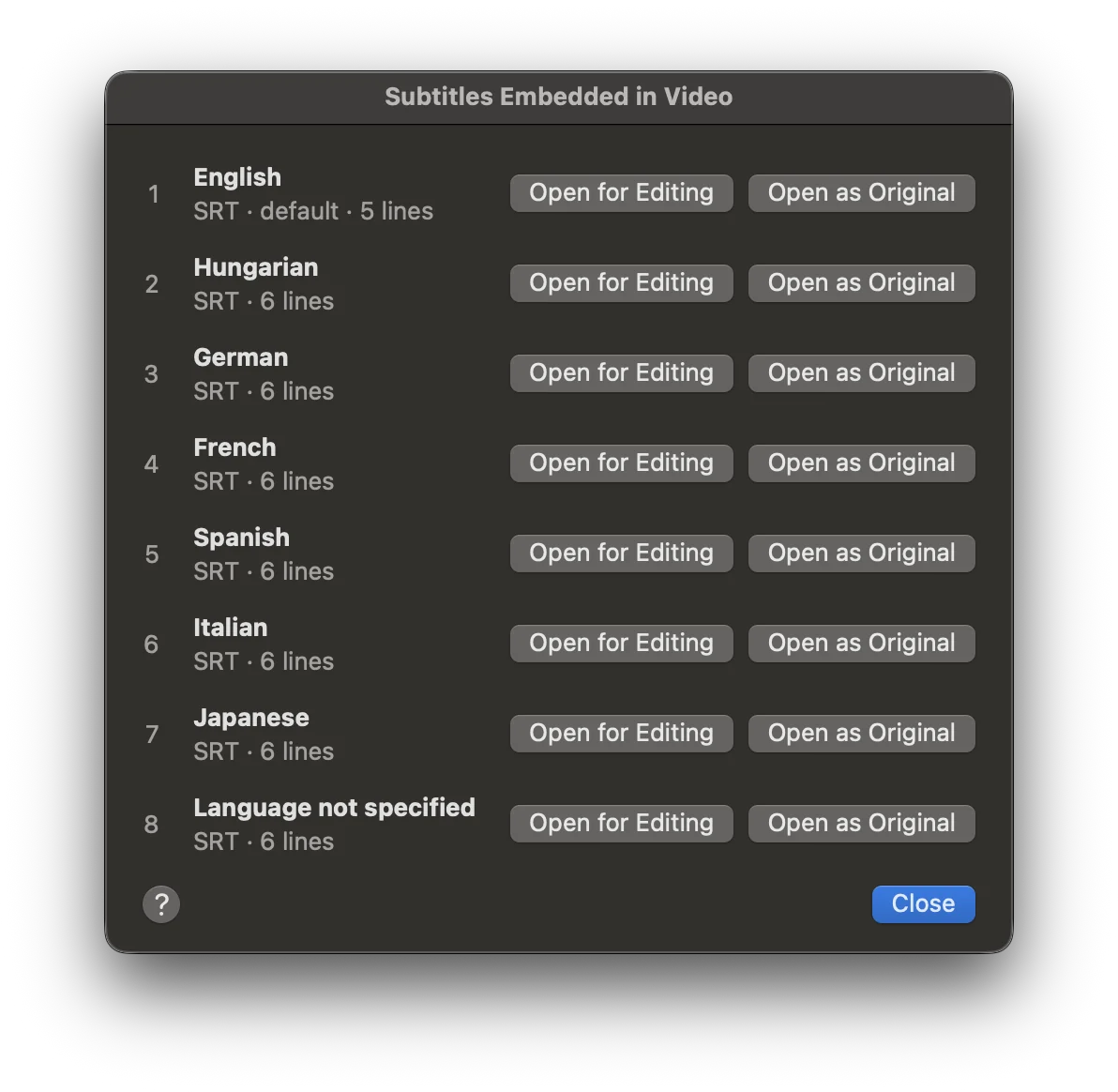
Embedded subtitles
Subtitle tracks in an MKV or MP4 open for editing or as the original.
Audio tracks
Choose the language to hear and to show in the waveform.
All the common formats
SRT, WebVTT, ASS and SSA; MP4, MOV, MKV, AVI and WebM videos.

Check

Errors
Durations, reading speed, line length, overlaps, edges too close to a shot change, and spelling mistakes.
Review notes
A note on any subtitle that needs another look, saved in the project.
Projects
Video, subtitles, original, shot changes and window layout in one file, with a backup copy if the app quits unexpectedly.

Screenshots

Download

Subelle comes as a disk image: open it and drag Subelle into the Applications folder. The app is signed and notarized by Apple, so it opens without warnings.

Download Subelle

  • macOS 12 Monterey or laterOn Apple silicon and Intel Macs.
  • Subtitles from a videomacOS 26 Tahoe or later.
  • Automatic translationmacOS 15 Sequoia or later.
  • Six languagesEnglish, French, Spanish, Italian, German and Portuguese (Brazil). The built-in help is available in English and French.